The Skep demo store
Skep is the warm, handmade style in the theme, shown on a demo store for a small honey producer. This page lists what that demo is built from, in the order it appears, so you can reproduce it in your own store. Treat it as a recipe rather than a rule.
Know what arrives with the style
Section titled “Know what arrives with the style”Choosing Skep applies its fonts, colors, shapes, and motion straight away, so the framework of the look is yours in one move. The demo’s content stays with the demo. Its photographs, product names, headings, menu, and collections belong to that store, and demo images never transfer on install, because they are licensed to the demo rather than to your shop. That is expected, and it is exactly where your own store begins.
Build the homepage in this order
Section titled “Build the homepage in this order”The Skep homepage runs thirteen sections, top to bottom.
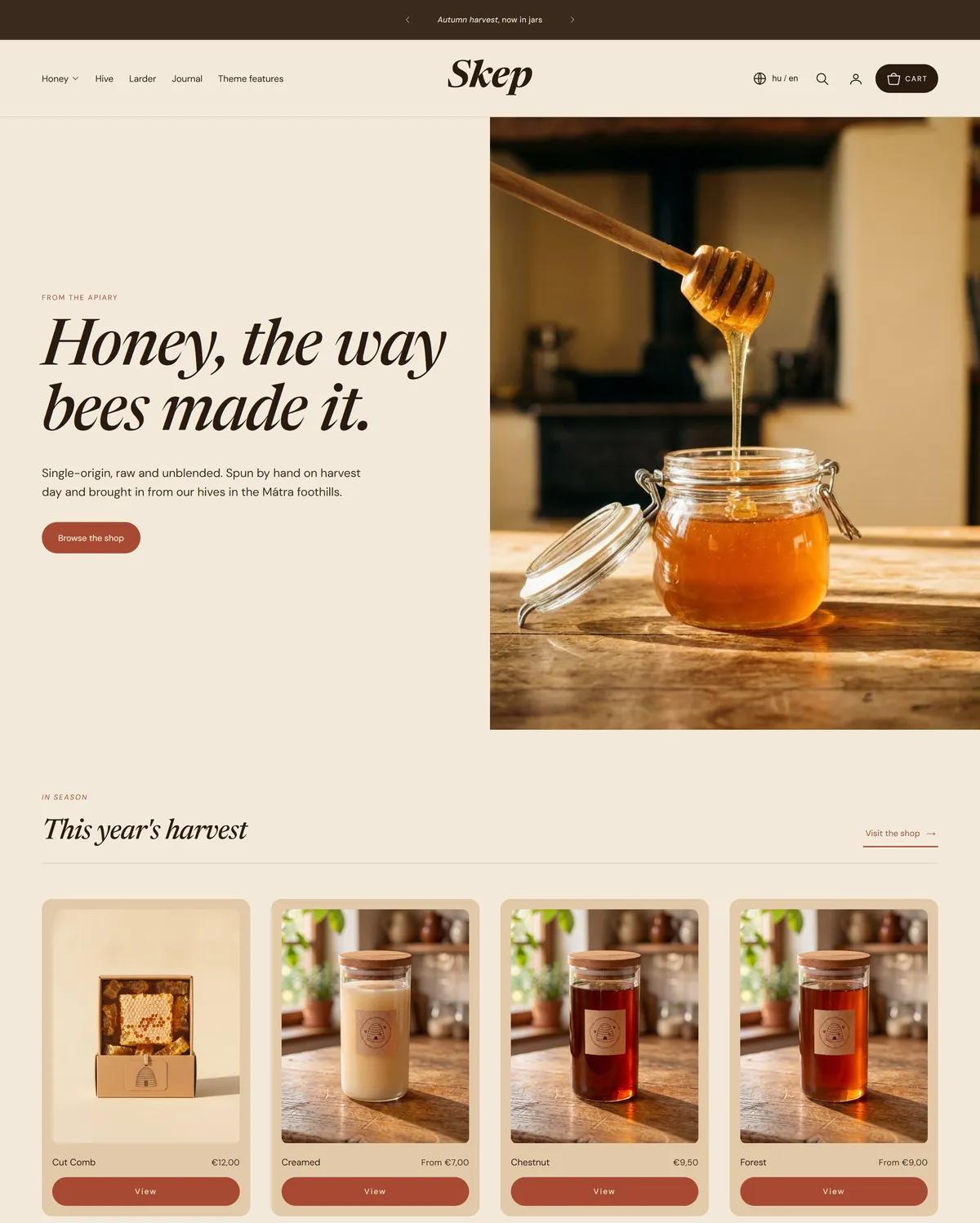
- Hero. A full-width photograph and one line, “Honey, the way bees made it.” Use your strongest image.
- Featured collection. Products pulled live from one collection, headed “This year’s harvest.” Point it at your season or bestsellers.
- Collection list. Three blocks, each a doorway into a collection, headed “Shop by.” Use the three ways customers shop you.
- Image with text. A photograph beside short writing, headed “A slower kind of honey.” Your story, in about forty words.
- Multicolumn. Three blocks headed “Ways to use it.” Good for serving suggestions or care notes.
- Icon list. Four claims with icons, headed “Why raw honey.” Your reasons to buy, such as sourcing and shipping.
- Countdown. A dated moment, “This season’s chestnut is nearly ready.” Set it to a restock or a sale end.
- Blog posts. Your latest posts, pulled in automatically, titled “From the Hive.” Rename it for your own journal.
- Testimonials. Three customer quotes under “What people say.” Real quotes with a first name read best.
- Contact form. A working enquiry form headed “Come and find us,” for questions and wholesale.
- Store locator. Two blocks headed “Find the apiary.” Use it for stockists, markets, or your own shop.
- Image banner. One wide photograph carrying a single message, “The autumn harvest is in.”
- Newsletter. The sign-up, headed “Field notes from the apiary.” Give people a reason to join.
The demo also carries a Steps section that is switched off, so you will find it in the editor ready to turn on when you want to show your process.
Around those sit the persistent pieces: an Announcement bar and Header above every page, a Footer and Bottom bar below, plus the Cart drawer, Search drawer, Age verification, and Promo popup overlays. The demo also styles its product, collection, cart, search, blog, contact, and FAQ pages.
Set the character
Section titled “Set the character”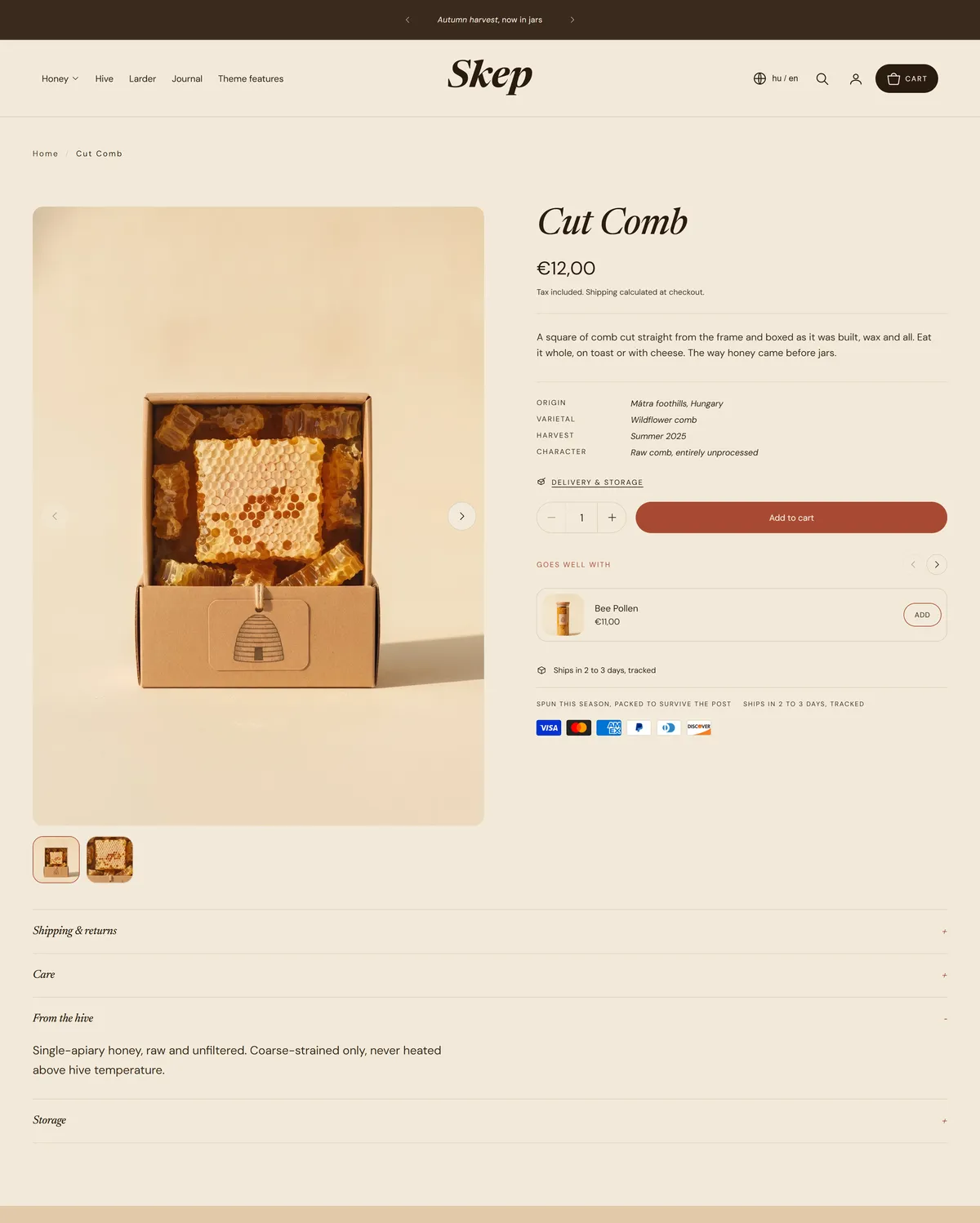
- Typography. Headings use Newsreader, a serif set in italic at medium weight, with DM Sans regular for body text and captions. Headings stay in sentence case, captions and labels are uppercase with italic accents, and prices use the body font. Hero headings sit at 80px, letter spacing at -2%. See Typography settings.
- Corners, borders, and depth. Card corner radius 16px, pill shaped buttons and inputs, border thickness 1.5px, soft drop shadow on cards. See Corners, borders, and depth.
- Buttons. Accent fill, labels in normal case, lift on hover. See Button settings.
- Icons. Line weight 1.5, plus and minus markers, basket cart icon. See Icon settings.
- Motion. Expressive at medium speed, present but unhurried. See Animation settings.
- Layout. The narrow page width, which keeps text at a comfortable reading length. See Layout and spacing.
- Cart. Drawer, so adding an item never takes a shopper off the page. See Cart settings.
- Colors. Cream (#f2ead9) with deep brown text (#2a1b11) and terracotta accent (#a84a33), a warmer honey (#e2c9a9), deep brown with cream text, solid terracotta (#a8472f), and soft cream (#ede2ce). See Color schemes.
Bring your own material
Section titled “Bring your own material”This style leans on photography, so that is where your effort pays back most. You need a hero image that works wide, a strong photograph for image with text, a banner image, and product shots with consistent light and background. Warm daylight and natural surfaces suit these colors well.
Then your writing: a line for the hero, a paragraph of your story, your reasons to buy, your steps, and a few genuine customer quotes. Set up your collections and menu last, so the collection list and header point somewhere useful. General store setup is covered at help.shopify.com.
Go deeper
Section titled “Go deeper”For what each section can do, see the sections reference. For every global setting, see theme settings.