The Lapidary demo store
Choosing Lapidary gives you the layout and the settings you see on the demo, with your own catalog inside it. Your products, photographs, and words take the place of the demo’s, so your store will not look identical on day one, and it is not meant to. Demo images stay with the demo store and do not travel with a theme style, which is the part most people are surprised by. What you install is a finished frame waiting for your pictures.
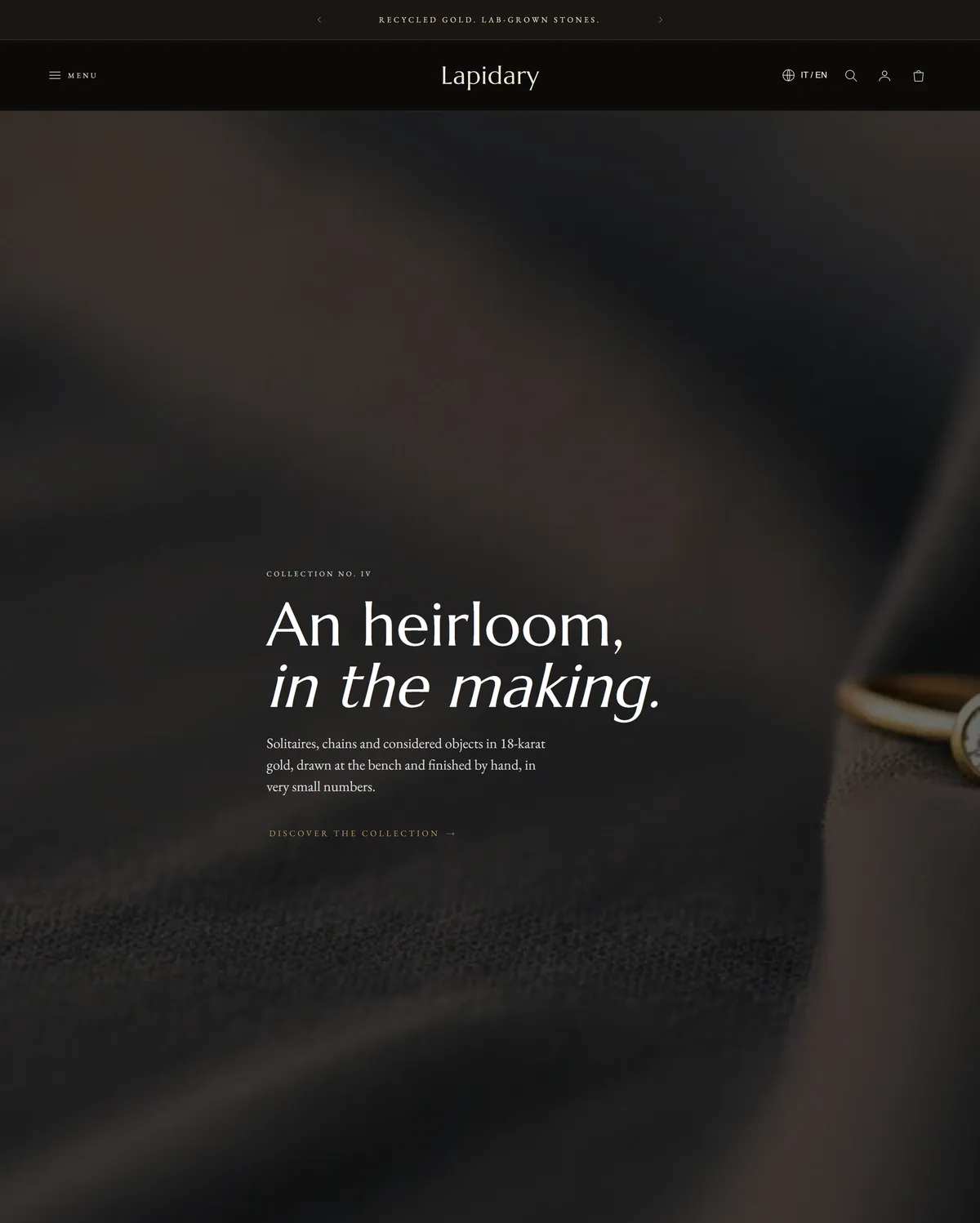
Build the homepage in this order
Section titled “Build the homepage in this order”- Slideshow, one slide on the demo. A tall opening image with a short line of type across it. Use your best campaign photograph.
- Collection list, four blocks. Routes shoppers straight into categories. Swap in four of your own collections.
- Pull quote. A single sentence set large, used as a pause between the opening and the catalog. Your brand line or a line from a review.
- Featured collection. A row of products pulled live from one collection. Point it at your newest or best selling one.
- Steps, four blocks. Walks through how a piece is made. Use it for your process, your sizing guide, or how ordering works.
- Image with text. A photograph beside a short story, used here for the workshop. Yours could be the founder, the studio, or the materials.
- Testimonials, three blocks. Three customer quotes with attribution.
- Multicolumn, three blocks. Three short columns on what makes a piece worth keeping. Good for materials, guarantees, or care.
- Timeline, three blocks. The house history, dated entry by dated entry. Use it for milestones, or drop it if your brand is young.
- Blog posts. Pulls your latest articles automatically once you publish them.
- Accordion, three blocks. Frequently asked questions, answered in place so nobody leaves the page.
- Event calendar, two blocks. Private viewings on the demo. Use it for trunk shows, markets, or workshop dates.
- Press coverage, three blocks. Quotes from publications, with logos.
- Newsletter. Email capture, framed as a waiting list.
Around that sit the persistent pieces: an Announcement bar and the Header at the top, the Footer and a Bottom bar at the end, plus the cart drawer, the search drawer, the age verification screen, and the promo popup.
The settings behind the look
Section titled “The settings behind the look”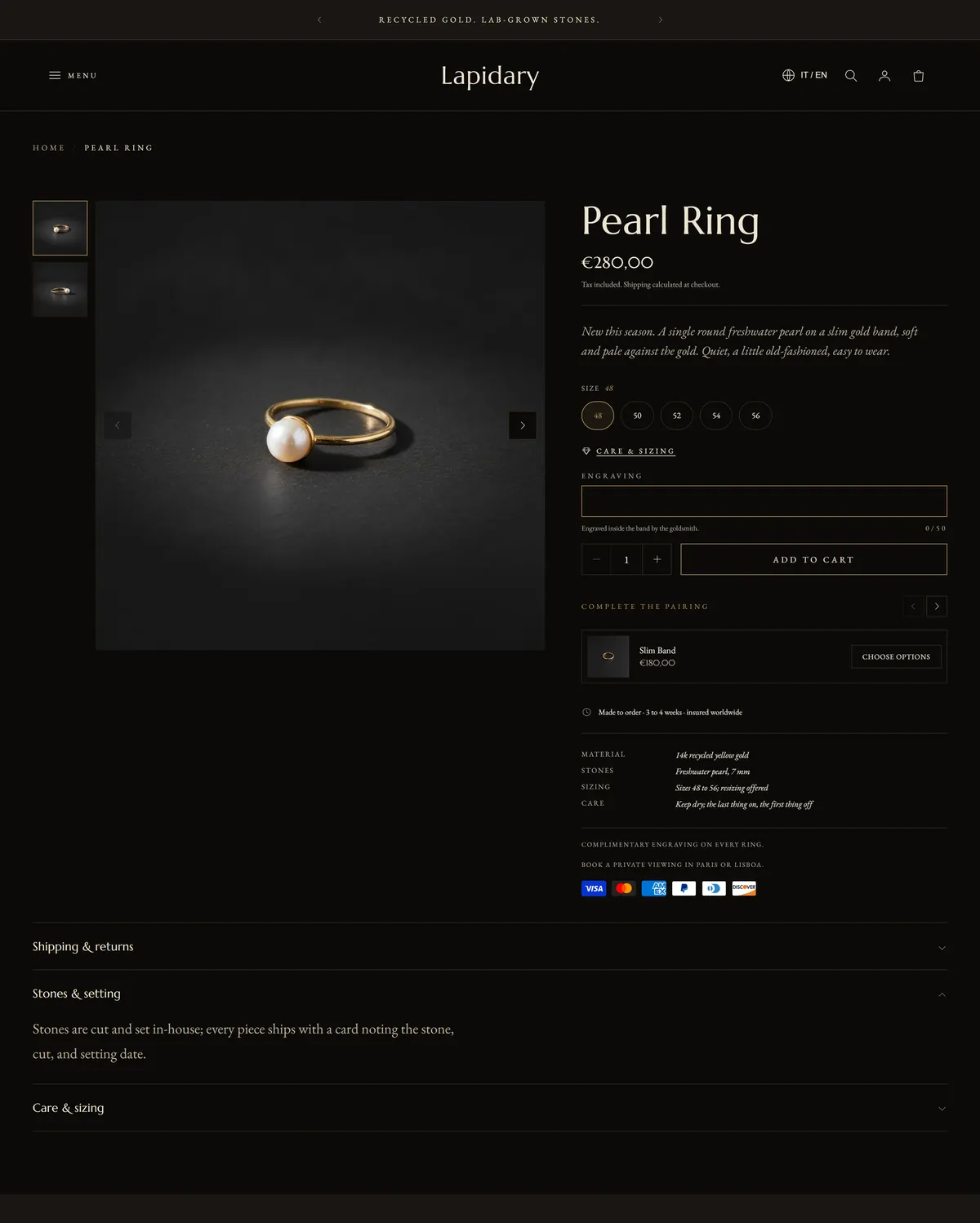
- Typography (Theme settings → Typography): headings in Marcellus regular, body and accents in EB Garamond regular. Headings stay in normal case with letter spacing opened a touch to 1%, the heading scale at 100%, and the hero heading set large at 104px. Small captions and labels are uppercase, and italic accents are turned up to labels and body text. See Typography.
- Corners and borders (Theme settings → Corners, borders, and depth): sharp corners on buttons and inputs, a card radius of 0, no cut corners, a 0.5px hairline border, and no shadow at all. See Corners, borders, and depth.
- Buttons: outline, subtle, with uppercase labels and a slow fill on hover. See Buttons.
- Icons: chevron markers, the slim bag cart icon, and the lightest line weight of 1. See Icons.
- Motion: expressive, at slow speed, which sets the unhurried pace of the browsing. See Animations.
- Layout: the narrow page width, which keeps text and images composed rather than spread. See Layout and spacing.
- Cart: a drawer, so shoppers never lose their place. See Cart.
- Product cards carry a thin line frame with the title and price on one row.
What you supply
Section titled “What you supply”Photography first. This style leans on large images and quiet type, so well lit, consistently shot product photographs will carry more of the result than any setting here. Keep the background and the crops the same across your catalog and the grid holds together on its own. After that: your collections, your navigation menu, and your words. Short, confident copy suits the slow pace, and the pull quote and the image with text section are where your brand voice does the most work.
Go deeper
Section titled “Go deeper”Every section listed above has its own options. The sections reference covers what each one can do, and theme settings walks through the store-wide controls in full.